
An all-terrain walker wheelchair combo needs a written dual-use configuration with controls for both modes. A seat and four wheels may seem fit for passenger use, but looks prove nothing. A rest seat does not let staff push someone along a route.
This matters for resorts, rental operators, distributors, senior programs, and public access teams. Treat a combo label as a prompt for evidence review, not as a product assumption. Photos can show a seat, wheels, brakes, or a wide frame. They cannot prove occupant approval, fit, route permission, or training. Supplier files must define each mode.
What does an all-terrain walker seat actually mean?
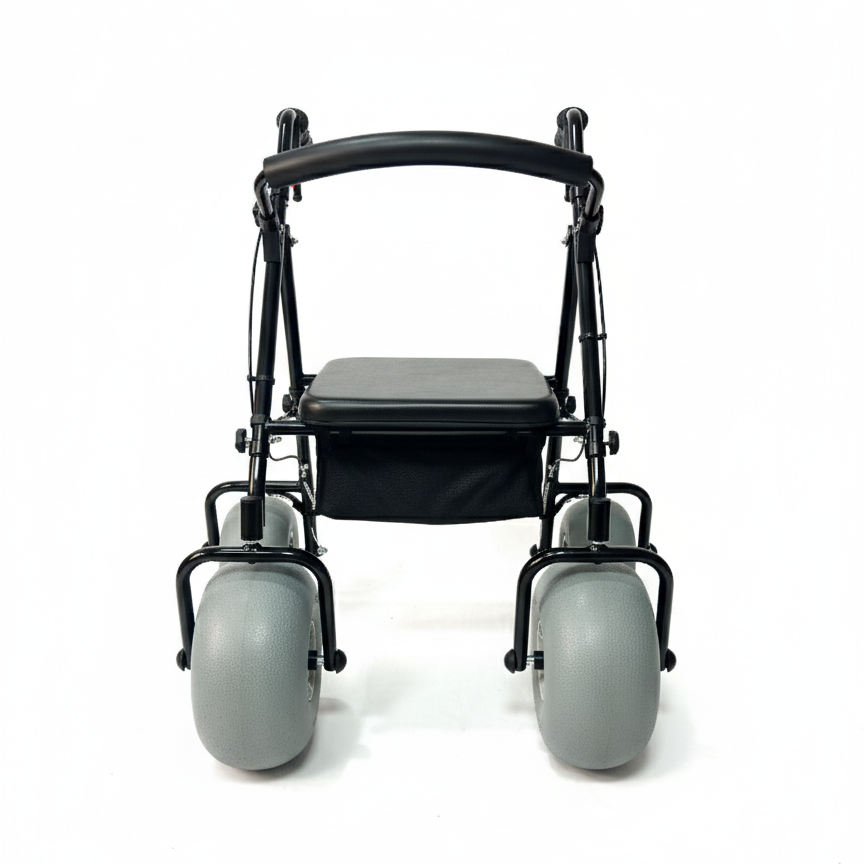
An all-terrain walker seat normally means a built-in rest surface within a walking aid. It may support a pause under program procedure. It does not turn the frame, wheels, brakes, or handles into passenger-transport equipment.
Separate rest function from transport function
Classify the seat by its written purpose. Ask the supplier to name seat purpose and permitted use. A wheelchair function needs a separate statement covering occupied configuration, control, route, and operator.
- Identify the device as walker, wheelchair, or named dual-use model.
- Record the seat purpose in current instructions.
- Ask who may assist a seated user.
- Keep walking and passenger transport separate.
An all-terrain label describes a terrain intention, not a passenger-transport approval. Compare an all-terrain beach wheelchair category beside a walker category, then keep mode records separate.
| Visible or stated feature | What it may support | What it does not prove |
|---|---|---|
| Built-in seat | Rest option | Passenger transport |
| Large wheels | Route question | Wheelchair approval |
| Hand brakes | Walking control | Occupied pushing |
| Wide frame | Stability discussion | User suitability |
Key takeaway: classify the seat by written purpose before discussing any wheelchair use.
Why doesn’t an ordinary walker seat prove transport approval?
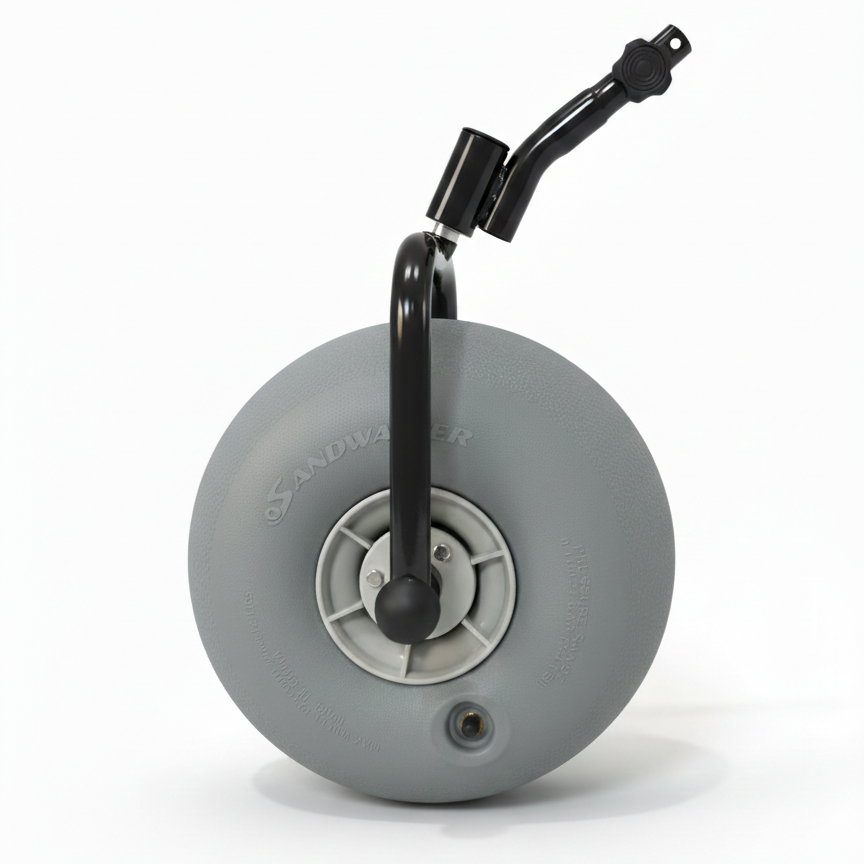
An ordinary walker seat does not prove transport approval because walking, braking, steering, structural support, and attendant control may differ from wheelchair requirements. Pushing a seated person may fall outside supplier instructions and program policy.
Treat an ordinary seat as a rest point
Keep an ordinary walker on its stated mode. Use a seat only for documented rest unless supplier approval covers another mode. Do not infer approval from a product image, brief sitting, or a brake lever.
- Ask whether the seat supports rest only.
- Ask whether pushing an occupied device is expressly permitted.
- Request the exact model and configuration covered.
- Record route or attendant conditions.
If a program needs passenger movement, source a wheelchair or written dual-use device instead of modifying a walker through guesswork. A lightweight beach wheelchair belongs in a separate review and does not prove walker function.
| Question | Ordinary walker with seat | Written dual-use configuration |
|---|---|---|
| Seat purpose | Rest unless stated otherwise | Rest and transport scope stated |
| Occupied movement | Not assumed | Approval and method documented |
| Operator | Walker user or trained helper | Named control role |
| Procurement status | Walking aid | Separate evidence review |
Key takeaway: never push a seated person on an ordinary walker without explicit written approval.
Which functions must a dual-use configuration document?
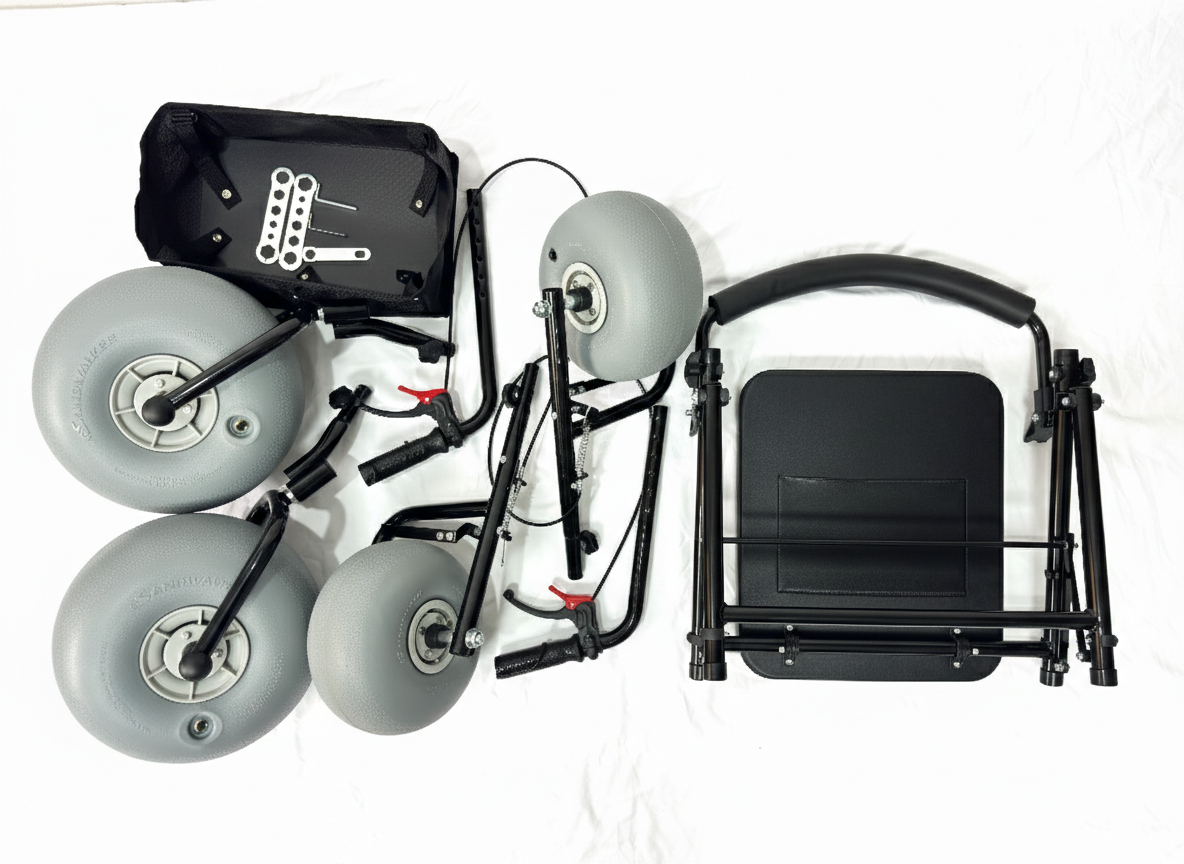
A written dual-use configuration should document the frame, seat, wheels, brakes, supports, occupant position, control method, route boundaries, inspection, and operator role. It should explain walking and seated-transport modes without gaps.
Request a configuration-level statement
Name the complete dual-use setup. Ask whether approval covers seat, wheel arrangement, supports, restraints if any, and attendant controls. Ask which options change configuration. A generic brochure cannot close an individual combination.
- Match the statement with model and revision.
- List components in the approved mode.
- Describe who controls each mode.
- Record route, surface, and weather boundaries.
Do not assume a walker can accept a seat, foot support, or restraint from another product. That requires a separate approval path.
| Configuration field | Evidence needed |
|---|---|
| Model and options | Current drawing or specification |
| Occupant position | Written configuration description |
| Controls | Brake and attendant method |
| Boundaries | Route and conditions stated |
Key takeaway: a dual-use claim counts only when the complete configuration and operating mode are named.
How should buyers separate walking and seated modes?
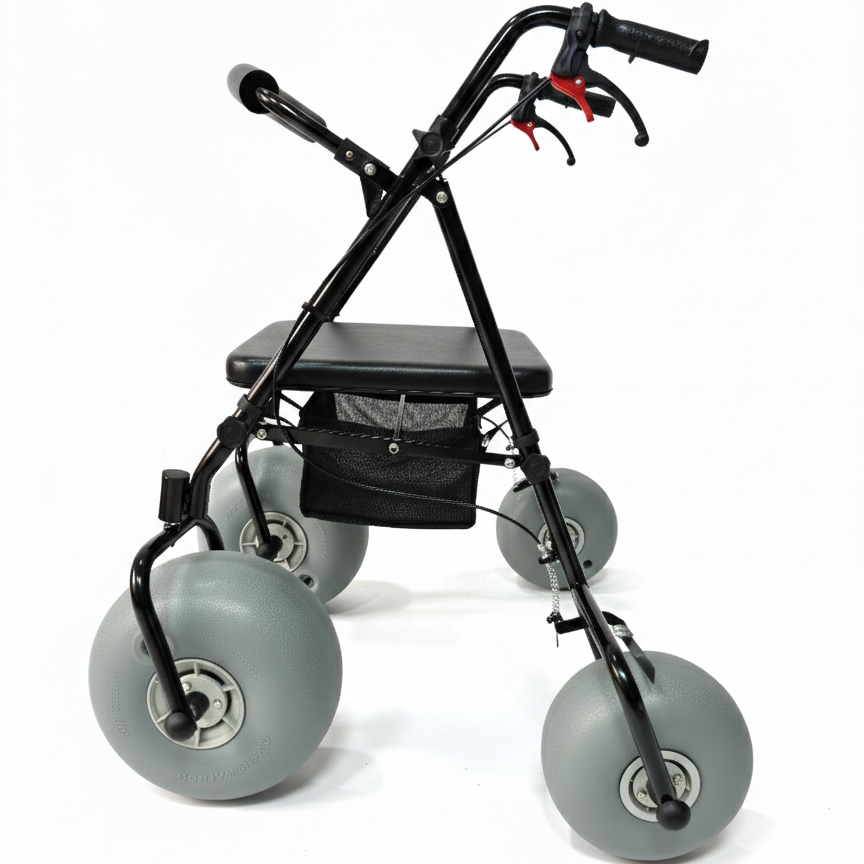
Buyers should separate walking and seated modes in briefs, quotations, training, inspection, booking, and release records. Each mode needs its own purpose, controls, stop rules, and responsible role. “Walker with seat” hides the procurement decision.
Write two mode definitions
Write walking and seated modes in separate columns. Describe walking support and approved seated transport separately. Require written evidence rather than leaving a blank for staff to interpret. WHO assistive technology information connects products with related services and user involvement.
- State who walks and who may rest.
- State who may control occupied movement.
- Identify route and surface limits for each mode.
- Use separate inspection and release prompts.
The two-mode format keeps a sales image from blurring a walking aid into a wheelchair. It gives operations a clear response when a requested function is unsupported.
| Mode | Buyer defines | Release question |
|---|---|---|
| Walking | User control, route, brake use | Ready for walking support? |
| Rest | Position, parking, staff role | Suitable rest point? |
| Seated transport | Approval, control, route | Written dual-use evidence? |
| Unapproved request | Stop and escalate | Who decides next step? |
Key takeaway: put walking, rest, and seated transport in separate approval columns.
What evidence should a procurement team request?
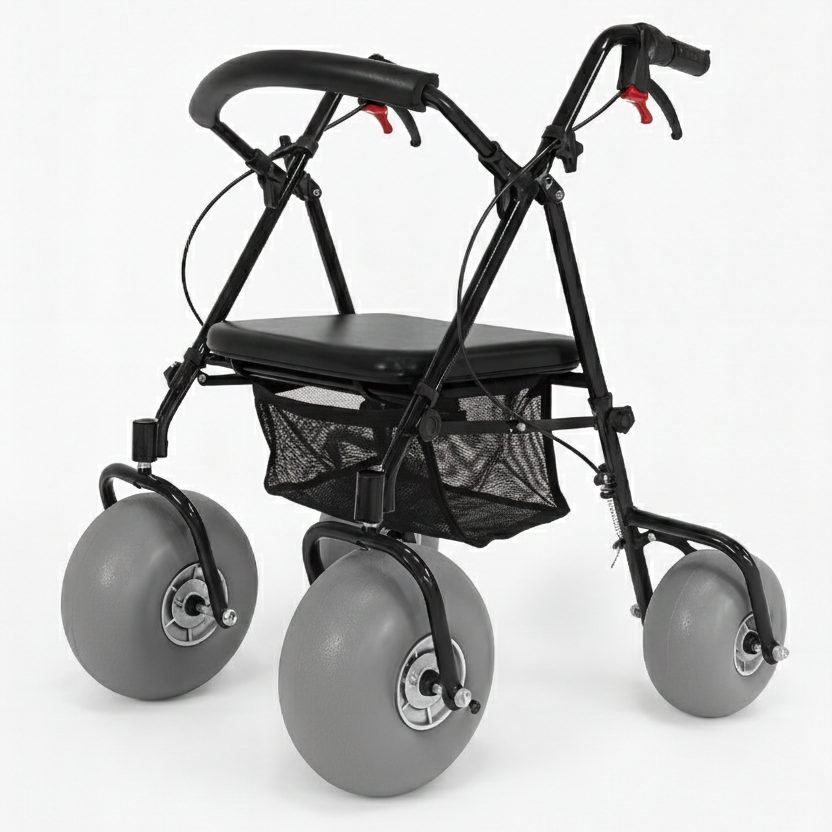
A procurement team should request model identity, drawings, seat purpose, wheel and brake details, controls, route boundaries, care, training, and support contacts. If a dual-use claim appears, ask for exact written approval and limits.
Build an evidence register
Record claims beside their sources. Record each claim, source, model, revision, owner, status, and decision. Keep photos separate from transport acceptance.
- Request current model and option identifiers.
- Match manuals with the quoted configuration.
- Ask for seat, brake, wheel, and support instructions.
- Record route and operator boundaries.
List beach wheelchair product information beside separate chair options in the procurement matrix. Keep walker mode evidence in its own row.
| Evidence group | Procurement question | Status |
|---|---|---|
| Identity | Which exact model and revision? | Open or matched |
| Function | What does seat and transport mean? | Written or missing |
| Controls | Who operates each mode? | Named or missing |
| Support | Who answers service questions? | Named or missing |
Key takeaway: score written mode evidence separately from product appearance.
How should staff inspect a proposed combo?
Staff should inspect a proposed combo with the exact model, current instructions, empty device, approved route, and named reviewer. Inspection can confirm visible condition and workflow clarity. It cannot create missing approval.
Use a ready or hold decision
Release only a documented mode. Inspect frame, joints, wheels, seat, controls, supports, labels, and documents. Ask whether configuration matches the written mode. Hold any mismatch.
- Verify model and configuration before practice.
- Inspect seat, frame, wheels, and controls.
- Practice walking and approved rest steps.
- Do not practice occupied transport without approval.
Place a matching user manual beside the inspection checklist. Staff should not modify or substitute parts to make a mode appear workable.
| Inspection area | Ready evidence | Hold trigger |
|---|---|---|
| Identity | Model matches records | Unknown configuration |
| Seat | Condition and purpose documented | Purpose unclear |
| Controls | Mode-specific checks understood | Control not documented |
| Route | Approved boundary available | Surface outside scope |
Key takeaway: release only a mode supported by inspected device and documents.
What route and transfer boundaries belong in planning?
Route and transfer planning should identify walking surfaces, rest points, ramps, sand transitions, crowds, weather, return paths, and mode changes. A walker seat does not remove the need for a stable rest area or transfer plan.
Map the person and device pathway
Map each route and mode change. Mark walking, rest pauses, assistance, and return. Keep transfer technique within qualified guidance and program policy. Do not write an improvised lifting or pushing recipe.
- Identify firm, managed rest points.
- Mark surface changes and closure conditions.
- Define staff communication and escalation.
- Keep passenger movement separate unless approved.
Use the applications section to list route questions, while your site team decides status. Firm-ground use may not extend to loose sand.
| Planning item | Walking mode | Seated mode |
|---|---|---|
| Route | User-controlled path | Written transport boundary |
| Rest | Managed seat point | Approved occupant position |
| Staff | Support and communication | Named control role |
| Change | User stops or returns | Hold if approval ends |
Key takeaway: map each mode, rest point, and transfer boundary before promising access.
How should storage and maintenance support both modes?
Storage and maintenance should preserve the exact configuration used in each approved mode. Separate seat, wheel, brake, frame, document, and accessory checks. A sandy or wet device needs cleaning, drying, inspection, and status control.
Keep mode records with the asset
Keep mode records with the asset. Assign a device ID, current manual, parts list, cleaning status, inspection record, service contact, and mode status. Do not add parts from another product as a quick fix.
- Keep ready, cleaning, hold, and service states visible.
- Store parts and documents with the device identity.
- Inspect brake and seat condition after return.
- Remove damaged units from booking availability.
Use projects to compare program examples; assign asset owners locally and record separate walking and seated maintenance reviews.
| Asset record | Mode question |
|---|---|
| Device ID | Which configuration is present? |
| Care status | Has return care closed? |
| Parts status | Are approved parts complete? |
| Mode status | Which functions are released? |
Key takeaway: store and service the approved configuration, not a generic walker category.
Which supplier questions close the purchase?
Supplier questions should close model identity, seat purpose, dual-use evidence, control roles, route boundaries, parts, care, training, and support. Do not ask only whether a walker “works as a wheelchair.”
Send a mode-specific quotation request
Ask one mode-specific question at a time. Request exact configuration, intended use, seat function, occupied transport status, controls, route conditions, documents, parts, service path, and change notice.
- Confirm what the seat is designed to do.
- Check whether occupied movement is approved.
- Note which options change the approved mode.
- Request current instructions and drawings.
Use about the company when opening supplier questions, then tie any combo description to current written evidence.
Ask the supplier to identify every mode in writing, so purchasing, operations, and training teams use one definition.
| Quotation field | Required response |
|---|---|
| Seat purpose | Rest, transport, or both stated |
| Configuration | Model, revision, and options |
| Controls | User and attendant roles |
| Boundaries | Surfaces, route, and exclusions |
Key takeaway: do not accept “combo” wording until every mode field has a written answer.
What should your next walker-combo decision be?
Your next decision should classify the device as a walking aid, rest-equipped walker, or documented dual-use configuration. Use the narrowest supported classification. Without express seated-transport approval, do not advertise an ordinary walker as a wheelchair.
Build a two-mode approval packet
Approve the narrowest supported category. Attach model record, instructions, mode matrix, route notes, inspection result, storage status, open questions, and approver. Use contact us for supplier follow-up. Keep future combo ideas separate.
- State the device category and exact configuration.
- Attach written evidence for every released mode.
- Record no-go uses and hold conditions.
Key takeaway: a seat can support rest; wheelchair transport needs its own written approval and operating file.
Q1: Can a beach walker seat be used as a wheelchair?
Only when the exact configuration has written dual-use approval. An ordinary seat supports rest, not assumed passenger transport.
Q2: Do large wheels prove that a walker can carry a seated passenger?
No. Wheel size shows appearance or a route question, not occupant approval or control suitability.
Q3: Can a buyer add a seat or foot support to make a combo?
Not through guesswork. Any conversion needs a separate design, compatibility, and approval path.
Q4: What should staff do when someone asks to be pushed on an ordinary walker?
Pause that request. Follow the written program boundary and offer an approved mobility option instead.
Q5: How can a buyer describe a walker-wheelchair combo safely?
Use the exact current model and mode evidence. Keep a rest seat separate from any approved passenger-transport configuration.