
An accessible tourism equipment custody log records which asset left, who accepted custody, what changed during use and who released it again. A booking list answers only part of that problem. Beach chairs, walkers, mats and carts also need condition and status records between sessions.
Use three linked records: a permanent asset register, a session log and a maintenance record. A shared asset ID connects them without forcing staff to rewrite equipment details every time. The fields below form a practical starting structure for a staffed beach equipment service.
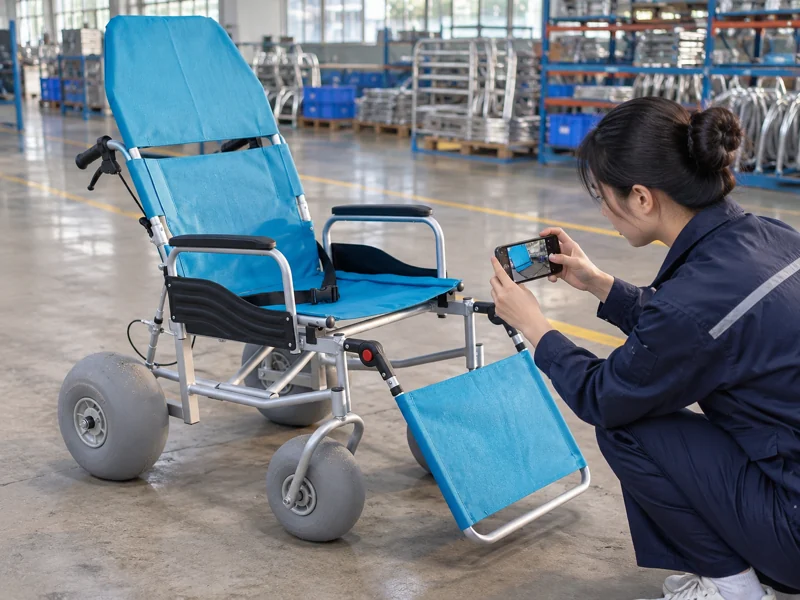
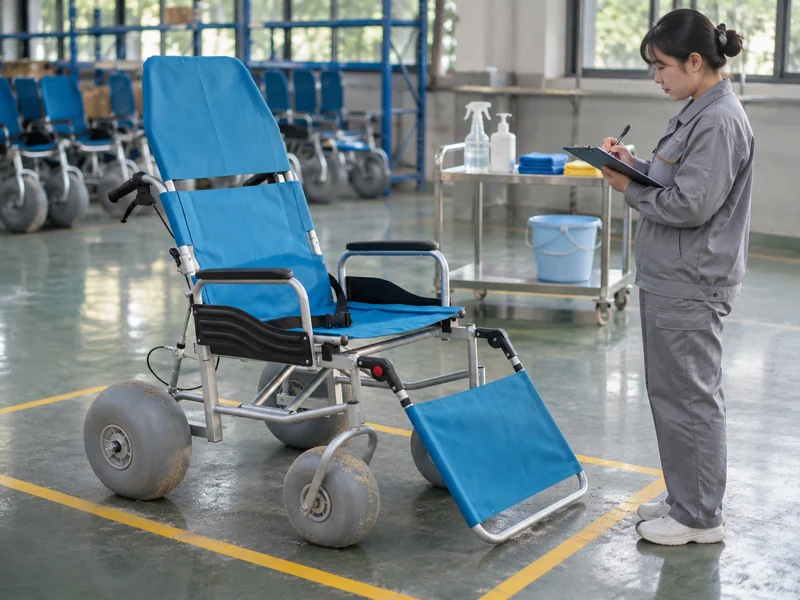
Images are AI-generated illustrations based on product references. They do not document an actual inspection, factory visit, or project.
1. Which facts belong in the permanent asset register?
Assign each physical asset a unique identifier and place that identifier on its record. Record model, configuration revision, manual reference, normal storage position and service owner. Keep serial number and internal asset ID separate when both exist.
A beach wheelchair fleet can contain visually similar equipment with different configurations. Staff should be able to identify the issued unit without relying on colour. Use a location photograph for the label and a full-asset reference photograph.
Avoid overwriting earlier configurations when an approved change occurs. Keep a dated revision entry linked to the service record. That allows an old session report to remain understandable after a wheel or accessory change.
- Record one physical asset per register entry.
- Identify normal components and approved accessories.
- Link current instructions and inspection requirements.
Asset identity should survive a change of staff. Label equipment and reconcile every label against your register before the next operating day.
Permanent asset fields
| Field | Suggested format | Purpose |
|---|---|---|
| Asset ID | Unique local code | Links all records |
| Model and revision | Supplier designation | Identifies configuration |
| Component set | Named parts or reference checklist | Supports issue and return counts |
| Storage position | Named bay or location | Helps retrieval |
| Service owner | Responsible role | Directs maintenance questions |
2. What booking details prepare a useful handover?
Create a session ID linked to the requested equipment class. Record date, planned collection, expected return, collection point and contact route held in the appropriate booking system. Add agreed assistance arrangements and any operational question awaiting resolution.
For beach access applications, keep a request separate from an allocation. A visitor may request a chair before staff identify an available suitable unit. Record allocation only when that decision has been made.
A historical Lyme Regis hire form includes hire and return times, preferred chair and return-inspection fields. Those are useful examples; its 2019 terms are not a current operating policy for another program.
- Record planned and actual times separately.
- Track requested class and allocated asset separately.
- Resolve collection arrangements before issue.
A reservation does not mean equipment has left storage. Keep booking status distinct from physical custody and update both during handover.
Booking preparation fields
| Field | Entry | When completed |
|---|---|---|
| Session ID | Unique booking reference | Reservation |
| Requested role | Chair, walker or other supported role | Enquiry |
| Allocated asset | Specific asset ID | Allocation |
| Planned times | Collection and return | Booking agreement |
| Open question | Responsible person and response | Before issue |
3. What should staff record when equipment leaves?
Record actual issue time, issuing staff member, receiving custodian and asset ID. Complete the applicable condition checklist and list removable components issued. Describe pre-existing marks with photographs when needed so later staff can distinguish them from newly reported findings.
Record the briefing delivered using its version or checklist reference. Capture acknowledgement through the program’s approved method. Acknowledgement should not be used as a substitute for resolving unsuitable equipment or incomplete instructions.
Attach the exact model and revision from current equipment manuals to each briefing record. Staff need to know which instructions they covered, especially when several chair configurations share a collection point.
- Confirm required components before departure.
- Record condition exceptions in plain language.
- Confirm return location and contact method.
Your issue record should describe the equipment that left. Complete it while both parties can inspect the asset, then change custody status to issued.
Handover record
| Field | Example entry type | Why it matters |
|---|---|---|
| Actual issue | Date and time | Starts custody period |
| Condition | Checklist result and photograph reference | Establishes departure condition |
| Components issued | Named items and quantities | Enables return reconciliation |
| Briefing | Version and completion record | Identifies instructions covered |
| Custody accepted | Approved acknowledgement | Identifies handover completion |
4. How should transfers between staff or locations be recorded?
Create a custody event whenever responsibility changes outside the original return process. Record date, time, asset, previous custodian, receiving custodian, location and reason. Include condition changes reported at that moment.
A beach walker transferred between collection points should remain linked to its open session. Avoid creating a new loan that hides the previous handover. Similarly, a cargo movement by staff should be recorded as an internal transfer if no public loan occurs.
When a session runs late, record attempted contact and the next responsible staff member. Do not mark an overdue asset returned merely to tidy a schedule. If location is uncertain, preserve that uncertainty and follow the program’s escalation procedure.
- Link transfers to the open session or work task.
- Record who accepted responsibility.
- Keep overdue and missing-location states distinct.
Every handoff needs a receiving person or role. Close the outgoing handoff only after acceptance has been recorded.
Transfer-event fields
| Event | Minimum record | Status implication |
|---|---|---|
| Staff shift change | Outgoing and incoming roles, time | Custody continues |
| Location transfer | Origin, destination and receiver | Location updated |
| Late return | Due time and follow-up owner | Still issued or overdue |
| Uncertain location | Last confirmed event and escalation | Availability remains blocked |
5. What should happen when equipment returns?
Record actual return time and receiving staff member, then compare components with the issue list. Ask about difficulties or damage during the session and distinguish reported observations from your own inspection findings.
Inspect before equipment disappears into storage. A returned asset may need cleaning, further inspection or maintenance. Use a status that reflects that work instead of immediately marking it available.
For modular items such as beach matting, record returned sections and relevant connecting or anchoring components according to the issued kit. For chairs, use the model’s own component list. One universal “all accessories present” tick can hide missing items.
- Count against the actual issue list.
- Record newly observed marks and their locations.
- Select the next preparation or maintenance state.
Returned equipment still needs a disposition. Assign a receiving outcome before moving equipment away from the return point.
Return fields
| Field | Record | Follow-up |
|---|---|---|
| Actual return | Time and receiving staff | Close custody period |
| Component reconciliation | Present, missing or substituted | Resolve discrepancies |
| User report | Description in reported terms | Inspection or incident review |
| Inspection finding | Location and photograph | Cleaning, hold or further check |
| Next state | Named status and owner | Prevents premature reissue |
6. How should cleaning and preparation be logged?
Record the cleaning task separately from inspection and release. Include asset ID, procedure reference, operator, completion time and any exception. Where a procedure requires drying or a later check, record that step before making equipment available.
For a cargo cart, record preparation of its tub, handle, supporting frame and wheel areas according to current instructions. A chair or walker needs its own model-specific checklist. Avoid copying a method across different materials merely because both products used the same beach.
A staff note should identify what happened. “Ready” is too vague when cleaning has finished but a wheel inspection remains open. Use separate fields for cleaning completion and service release.
- Reference the approved cleaning method.
- Record incomplete drying or unresolved contamination.
- Keep preparation equipment and supplies identified.
Cleaning completion and service release are separate events. Move the asset to ready status only after all required preparation and inspection steps have closed.
Preparation record
| Step | Evidence | Next status |
|---|---|---|
| Cleaning | Procedure, operator and time | Awaiting remaining checks |
| Drying where required | Completion or exception | Preparing or held |
| Inspection | Model-specific result | Ready or maintenance hold |
| Exception | Description and assigned owner | Block issue until resolved |
7. How should damage and missing parts enter the workflow?
Open a maintenance record linked to asset and session IDs. Describe the observed defect without guessing its cause. “Retaining clip absent at return” describes an observable finding. Keep unsupported accusations about who removed it outside maintenance notes.
Apply a visible hold tag and block allocation in the booking system. Record who can decide the repair and who can authorise reuse. Where urgent support is needed, send the equipment identity and finding through Ary Beach’s contact route.
Separate incident reporting from routine service notes. If a visitor reports an event requiring a dedicated incident process, link its reference without placing unnecessary personal details in the general equipment register.
- Assign a fault or work-order ID.
- Record affected components and photographs.
- Identify replacement parts and repair authority.
A hold needs both a tag and an unavailable record. Reconcile those two controls so a booking clerk cannot issue equipment still awaiting repair.
Maintenance-hold fields
| Field | Entry | Control purpose |
|---|---|---|
| Fault ID | Unique reference | Links investigation and repair |
| Observed defect | Specific component and condition | Avoids ambiguous repair requests |
| Hold applied | Time, tag and system status | Prevents allocation |
| Responsible role | Repair decision owner | Keeps action assigned |
| Incident reference | Separate restricted record if needed | Preserves appropriate access |
8. What status system keeps the log understandable?
Use a small set of defined operational states. A practical sequence is ready, issued, returned awaiting check, preparing, held and retired. Reservation can remain a separate booking flag because a reserved asset may still be physically ready in storage.
Write permitted status changes beside staff instructions. For example, a held asset should not move directly to issued. Require repair completion, an authorised inspection and release before it returns to ready.
For a floating chair, readiness also needs to be distinguished from availability of its separately authorised service. Equipment can be ready while weather, staffing or local conditions prevent a session. Record service closure separately rather than inventing an equipment fault.
- Define each state in one sentence.
- Name who may change it.
- Record change time and reason.
A status should tell the next staff member what may happen next. Test the labels using one normal return and one repair scenario.
Suggested state definitions
| State | Meaning | Next allowed step |
|---|---|---|
| Ready | Required checks completed | Allocate and issue |
| Issued | Custody transferred | Return or recorded transfer |
| Returned awaiting check | Back on site, unchecked | Inspect and assign disposition |
| Preparing | Cleaning or other preparation open | Complete checks |
| Held | Unresolved service concern | Authorised repair and release |
| Retired | Removed from service | Disposal under local procedure |
9. How should records be corrected, accessed and retained?
Keep every record correction clearly visible. Add the corrected value, date, author and reason rather than silently rewriting an earlier custody event. In a paper system, follow the program’s correction procedure; in a digital system, use a record history or equivalent audit trail.
Separate operational equipment history from personal booking information. General staff may need asset status and return time without needing access to sensitive visitor details. Use booking references to connect records where necessary.
Treat access permissions and retention as local policy decisions. The equipment log should not invent a legal retention period. Have the responsible policy owner define which records remain available, who can view them and how disposal is authorised.
- Restrict editing to assigned roles.
- Preserve the original event during correction.
- Store photographs under asset or fault references.
Equipment history can remain useful without duplicating personal information. Review your form with the program’s records owner before public use.
Record-control fields
| Control | Practical setting | Owner decision |
|---|---|---|
| Access | Roles permitted to view or edit | Service and policy owners |
| Correction | Author, date, reason and original value | Records procedure |
| Retention | Separate schedules by record type | Local policy owner |
| Photographs | Asset or fault reference | Appropriate access and storage |
10. How should staff close the daily custody and repair loop?
At closing, reconcile physical assets against the register. Confirm every issued unit has a known custodian or documented follow-up. Match returned units with their next state and verify each held item has an assigned action.
For a repaired asset, record work completed, approved parts used, inspection result and release authority. Closing a work order alone should not change availability. Equipment becomes ready after the required release decision is recorded.
Use the project service discussion as context when planning a new operation, then build records around your actual collection points and staffing. Begin with one complete rehearsal from reservation through return, cleaning, a simulated hold and release.
- Reconcile issued assets and overdue follow-up.
- Confirm ready, preparing and held storage positions.
- Carry open faults into the next shift handover.
End the day with a known location, state and owner for every asset. Resolve mismatches before copying availability into tomorrow’s booking schedule.
Q1: Can a spreadsheet work as a custody log?
Yes, if unique IDs, access rules, visible corrections and status controls support the operation. Choose a system staff can maintain reliably.
Q2: Does a reservation prove who has the equipment?
Record actual issue and custody acceptance separately from planned booking times.
Q3: What if a visitor returns equipment after staff leave?
Follow your program’s approved return arrangement and keep the asset unavailable until staff complete receiving and inspection records.
Q4: Should repair notes overwrite the original damage report?
Preserve the original finding and add diagnosis, work performed and release evidence as linked events.
Q5: When can a held asset be booked again?
After authorised repair or resolution, required inspection and recorded release. Update both its physical tag and system status.