
A sound floating wheelchair booking decision starts when booking teams connect requests, capacity, route status and confirmation messages. Put the time slot, collection point, available chair and authorised staff cover on the same booking screen or desk sheet. A working service also depends on routes, people, records and accurate public information.
The reservation desk should be able to answer two questions separately. Has the visitor been allocated a place at a stated time? Can the local team run that activity under the conditions they find on the day? Keeping both answers visible lets staff reserve a later appointment without promising water entry in advance.
Build each slot around the appointment that staff can deliver
Define the service first. For example, the same collection point may offer a land outing and a separately authorised shallow-water activity. Give them distinct names and route identifiers. Set the appointment window to include the work the team actually performs, including handover, return, inspection and any drying or preparation required before another issue. Use local observations to decide how much time to reserve.
Keep a small permanent asset record for each chair. Include its ID, model and revision, current instructions, assigned storage location and release status. A booking uses that ID when the dispatcher allocates the unit. A record for a supported equipment class can accept requests before an individual unit has been assigned.
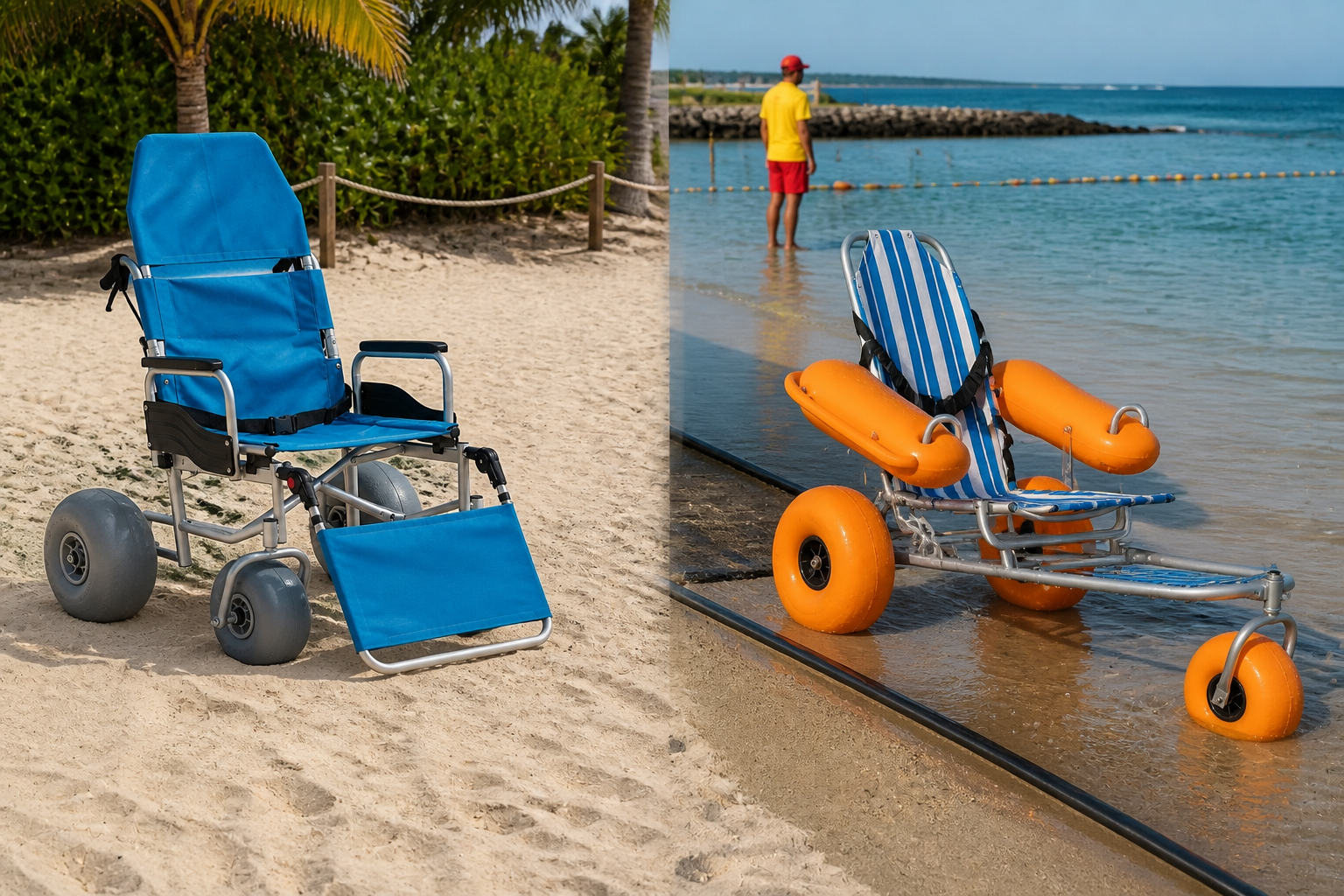
For AY-ST-V1.0, link the asset card to its corrected manual. The model has three inflatable PVC wheels and two detachable inflatable PVC armrests. The person releasing the unit should confirm the fitted wheels, armrest condition and prescribed attachments before the desk marks it available. A reported air loss or missing retention part places that asset on hold. Contact the affected visitor if another suitable, approved unit cannot fill the slot. AY-ST-V1.0 manual and component diagrams

Confirm the resource once across every booking channel
Use one appointment list for website requests, telephone enquiries and in-person bookings. Before sending confirmation, the dispatcher checks that a suitable released chair, the required authorised team and the planned collection point and route are available for the same slot. Include setup and return commitments that overlap an adjoining slot.
For example, suppose two visitors request the same Saturday morning start. Two chairs are ready, but only one trained team can support that particular appointment at that time. Confirm one request and offer the other visitor another slot or a place on the waiting list. The second chair remains physically ready while the appointment is full.
In software, have the confirmation action recheck availability and reserve the chair and team together. If a second desk tries to confirm the same resources, it should see the first allocation and offer another option. On paper, designate the desk that owns the master list and require other desks to obtain the booking reference from it. Match repeat phone and online requests to an existing reference before creating another reservation.
Give each visitor message a clear meaning
| Booking event | Appointment record | Visitor communication |
|---|---|---|
| Enquiry received | Record requested service, date, time and contact method. | Acknowledge the request and say when the desk will confirm it. |
| Slot offered from waiting list | Reserve the offer for the stated reply period under local policy. | Ask whether the visitor accepts this time and collection point. |
| Booking confirmed | Allocate the agreed resources and issue a unique reference. | Give the time, entrance, assistance arrangements and day-of contact. |
| Visitor cancels | Mark the booking cancelled, release its unused allocation and review the waiting list. | Acknowledge cancellation and apply the agreed payment or deposit terms. |
| Operator closes the service | Block affected slots and flag existing appointments for contact. | Describe the change, available alternatives and the next update. |
A returned chair may still need inspection. Store that status on the asset, and keep the booking open for any outstanding return issue. A visitor’s cancellation should release the reservation only. It should never clear an equipment hold, reopen a route or remove another visitor’s booking.
Handle a water closure without cancelling the wrong service
The manufacturer limits AY-ST-V1.0 water use to controlled, calm, shallow conditions with trained supervision and stable attendant footing. The operating team assesses the actual route on the day. If a water session must close, the duty lead records the service, affected time range and next review. Stop further confirmations for that activity, including requests arriving while staff contact existing bookings. Manufacturer’s operating boundaries
Keep the visitor’s original reservation and record the outcome against it. A visitor who accepts an available land outing needs the new activity and time confirmed. Someone who prefers a later date stays linked to the original change until the replacement is agreed. A cancellation from one visitor while the water route is closed should leave that water slot closed.
Send updates through the agreed contact channel and give desk and partner staff the same wording. Track whether each affected visitor has been reached and who will follow up when a message fails. Update the online availability display when the duty lead changes the service status. A handwritten fallback can use the booking reference, time of change and next contact owner. Booking system outage planning
Finish the day with an accurate next slot
At return, record the actual handover time and whether the chair is ready for preparation, held for inspection or ready for a later booking. If a return runs late, reassess the next appointment before sending its collection reminder. Keep the guest’s contact details in the booking record and give equipment staff the asset and fault references they need.
Before opening another block of appointments, compare confirmed visits, unused offers, operator closures and cancellations with the available chairs and staff shifts. Test one ordinary cancellation, one repair hold and one route closure across the public calendar and desk list. They should produce three different results. The visitor-facing booking guide gives the questions staff should be ready to answer at confirmation. Floating beach wheelchair rental booking guide